Cutting Script Deployment Time from 8 Weeks to 3 Days

Overview
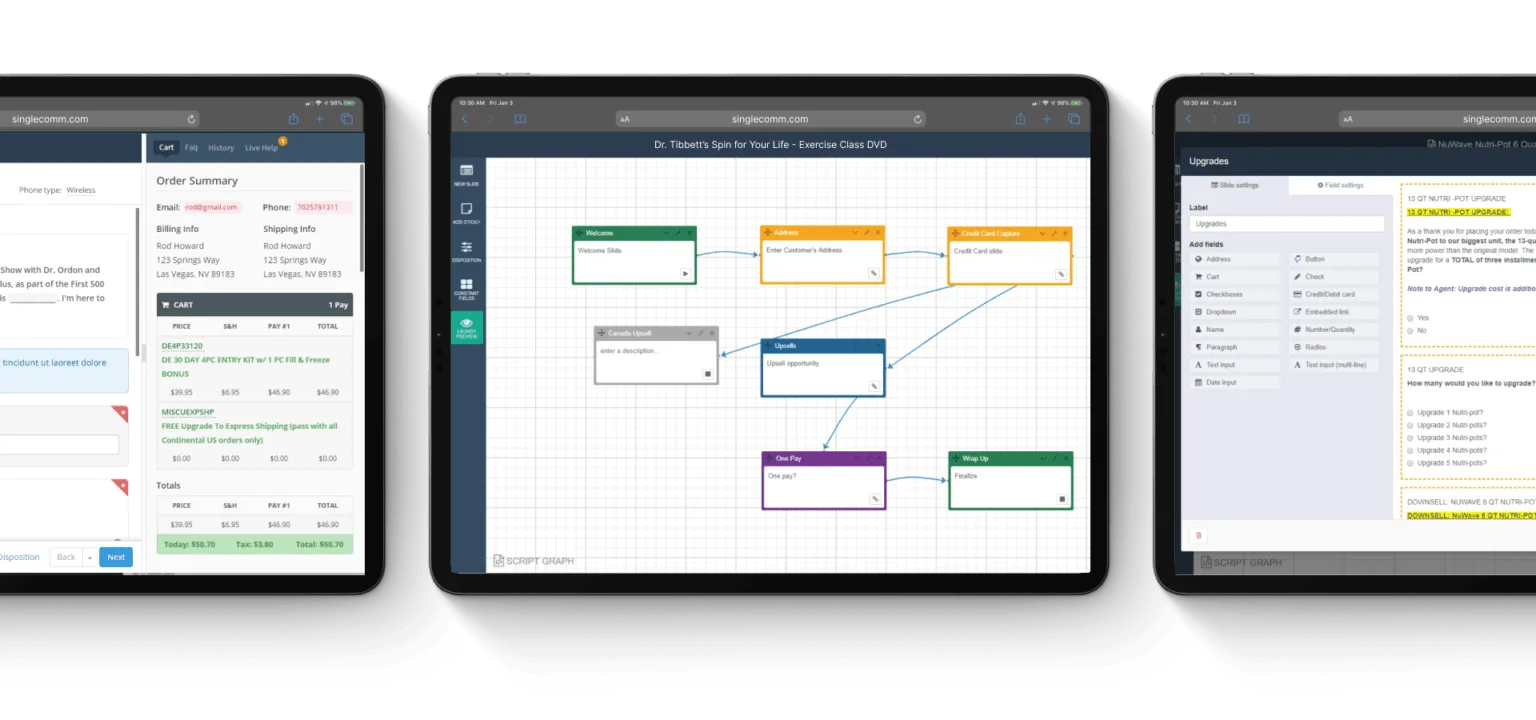
In 2015, I led the product design for Singlecomm, a cloud-based contact center software provider. My goal was to empower scriptwriters to own the entire workflow from concept to launch, addressing a critical bottleneck: a slow, costly, and engineering-dependent process for creating call center scripts.

Key Impacts

The Challenge

A Costly and Inefficient Process

Singlecomm’s clients faced a critical bottleneck: script creation was slow, costly, and entirely dependent on the engineering team. Even minor updates required weeks and developer resources, delaying marketing initiatives, limiting personalization, and risking revenue. Our challenge was empowering non-technical scriptwriters to independently build and iterate complex call flows at scale.

“Making modifications to scripts would take an enormous amount of time; in our market, an enormous amount of time is not acceptable.”

~ Lee Swanson, SVP of Telemarketing, Beachbody

The Problem by the Numbers (Client: Beachbody)

  • 8 weeks Average time from script concept to deployment.
  • 2–3 weeks Typical turnaround for minor adjustments or revisions.
  • 75+ active scripts Managed simultaneously during peak seasons.
  • 12+ call centers Coordinated to handle sales and support.

My Role

Full-stack design

As the sole Product/UX Designer, I led the end-to-end design process, from discovery and strategy through prototyping, testing, and delivery. I worked closely with our PM to define the scope and priorities, and partnered with engineers to de-risk key interactions, such as drag-and-drop logic and live preview. I also built a coded prototype (HTML/CSS/JS) to validate core flows with users and align stakeholders around the MVP.

Discovery

Understanding the Pain Behind the Workflows

To diagnose the problem, I conducted mixed-methods research (interviews, task analysis, journey mapping) with scriptwriters (12), developers (2), and business leaders (2) across three enterprise clients.

🕵🏾 Interviews

I conducted interviews with key stakeholders to understand their needs, frustrations, and existing script creation workflows. My interview approach focused on understanding the end-to-end script creation process and pinpointing critical pain points.

Key insights

  • Scriptwriters were frustrated by their reliance on IT, which slowed down development.
  • Most found their tools too technical, relying on Excel, code, or rigid templates.
  • Needed multiple separate tools to plan and map conversation flows.
  • Heavy reliance on IT for simple script updates, frustrating both IT and scriptwriters.
  • Slow deployments delayed necessary script changes during product launches.

📝 Task Analysis

Analyzing Workflow Inefficiencies and System Limitations

I shadowed four scriptwriters as they worked on various stages of the script-writing process, identifying specific friction points in real-world usage. This included observing tasks such as:

  • Adding conditional logic for upsell opportunities
  • Modifying scripts mid-campaign based on performance data
  • Creating A/B test variations
  • Submitting IT requests for technical changes

Key issues

  • Fragmentation of tools caused inefficiency and was error-prone, leading to high memory load required to manage and translate complex flows between systems.
  • Error-prone scripts due to lack of visual feedback or quick testing mechanisms.
  • Slow change process due to heavy reliance on IT for modifications.

🚀 Experience Journey

Concept to Call - Crafting, Deploying, and Perfecting a Script

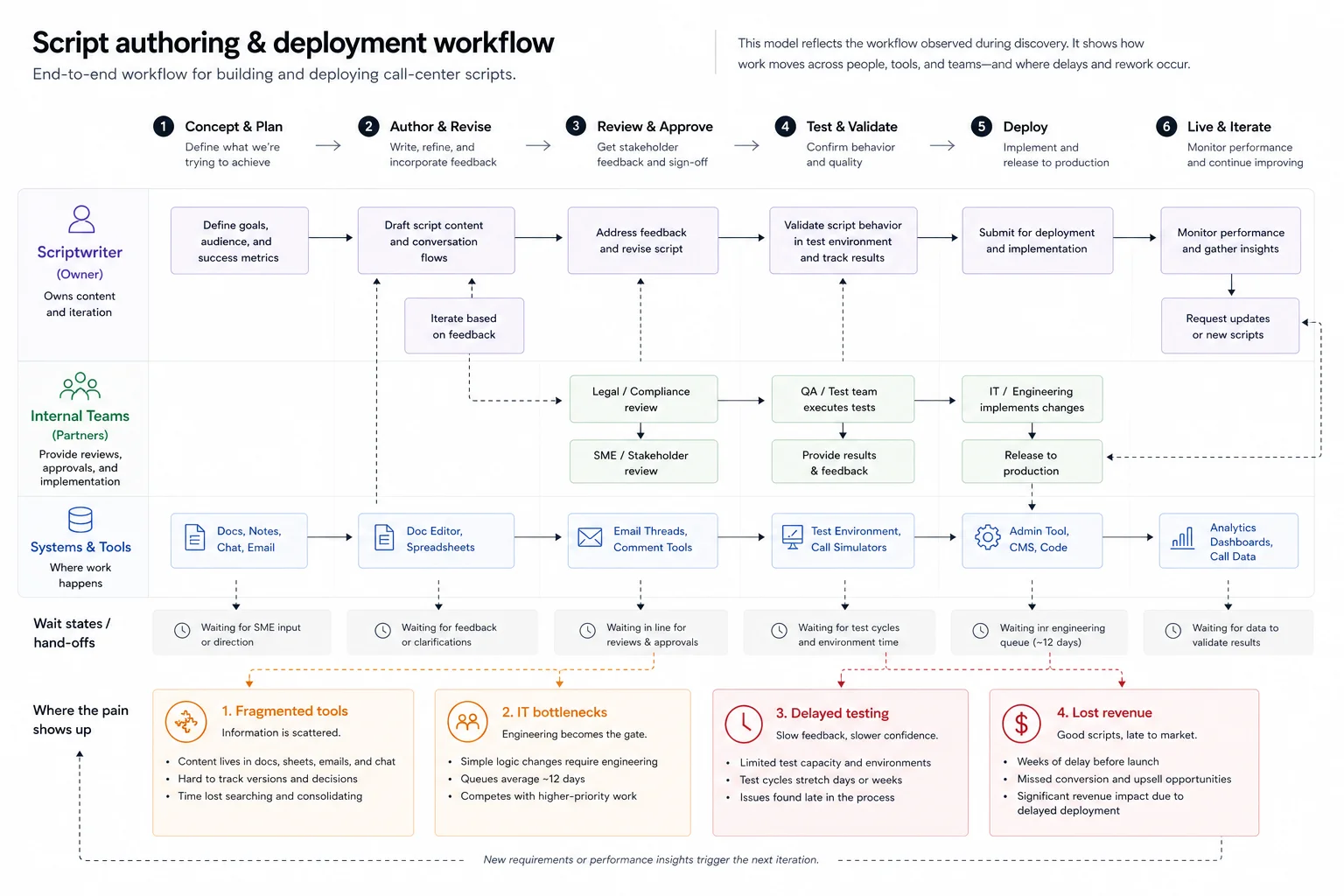
After gathering insights, I synthesized these findings into an experience journey map that visualized the entire end-to-end workflow and highlighted areas for improvement. This process was vital in helping Singlecomm stakeholders align customer needs with the broader product vision.

Synthesized Insights: Four Core Problems

  1. Fragmented Tools: Scriptwriters juggle 4+ disparate tools, causing constant context switching, errors, and wasted time.
  2. IT Bottlenecks: Simple logic changes took an average of 12 days to implement, requiring engineering resources and delaying critical campaign launches.
  3. Delayed Testing: Without validation tools, script errors were only found post-launch, turning live customer calls into risky experiments.
  4. Inefficiencies Cost Revenue: These breakdowns directly resulted in lost revenue, lower conversion rates, and missed market opportunities.

Design Strategy

Translating Research into a Scalable Platform Strategy

Synthesizing user insights and business needs, I defined four product principles to guide the solution, each aimed at reducing IT dependency, improving time-to-market, and supporting scalable workflows for enterprise teams:

One Platform

Centralize all scripting tasks from planning to deployment, to eliminate tool fragmentation and reduce errors.

Visual Authoring

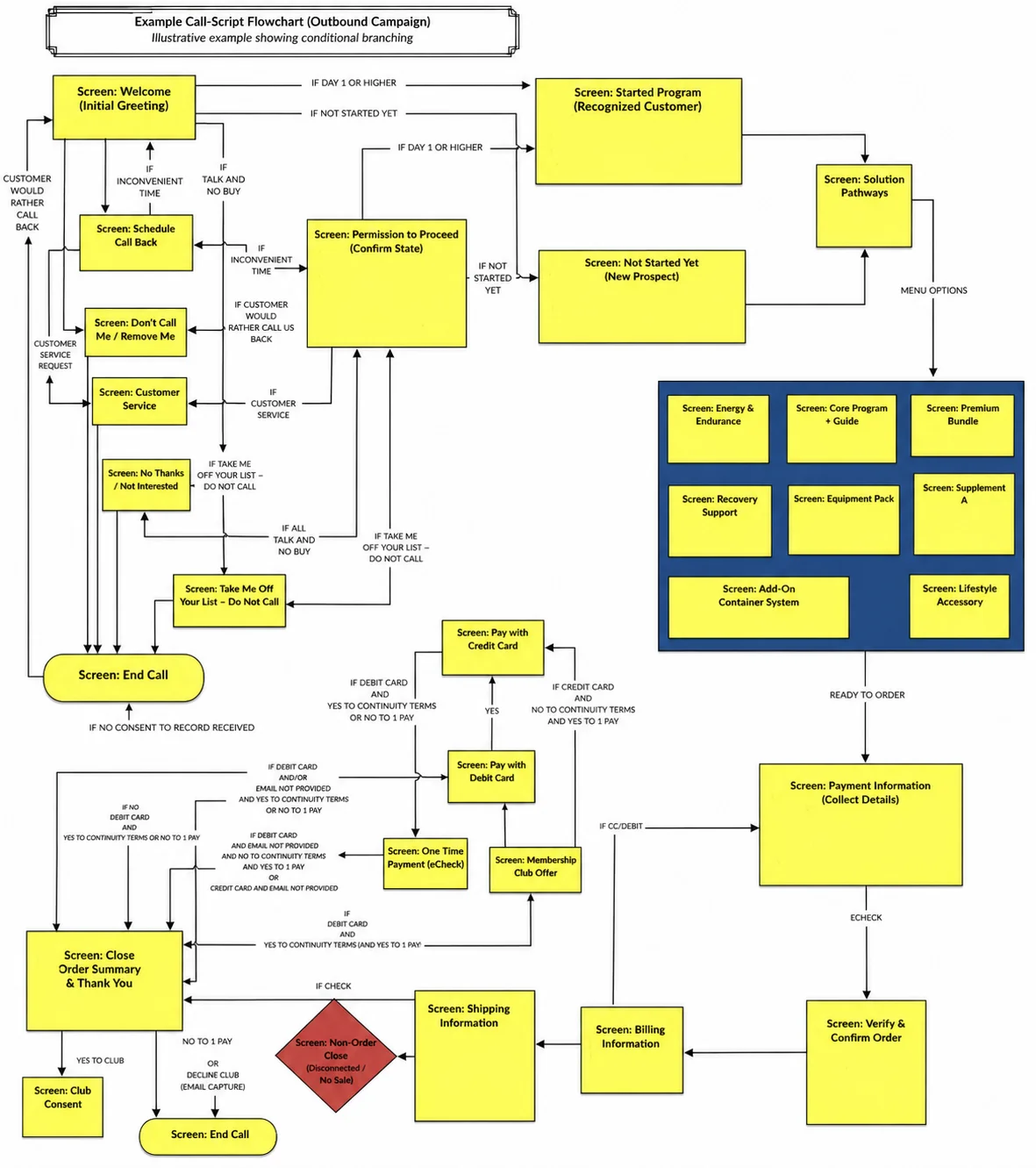
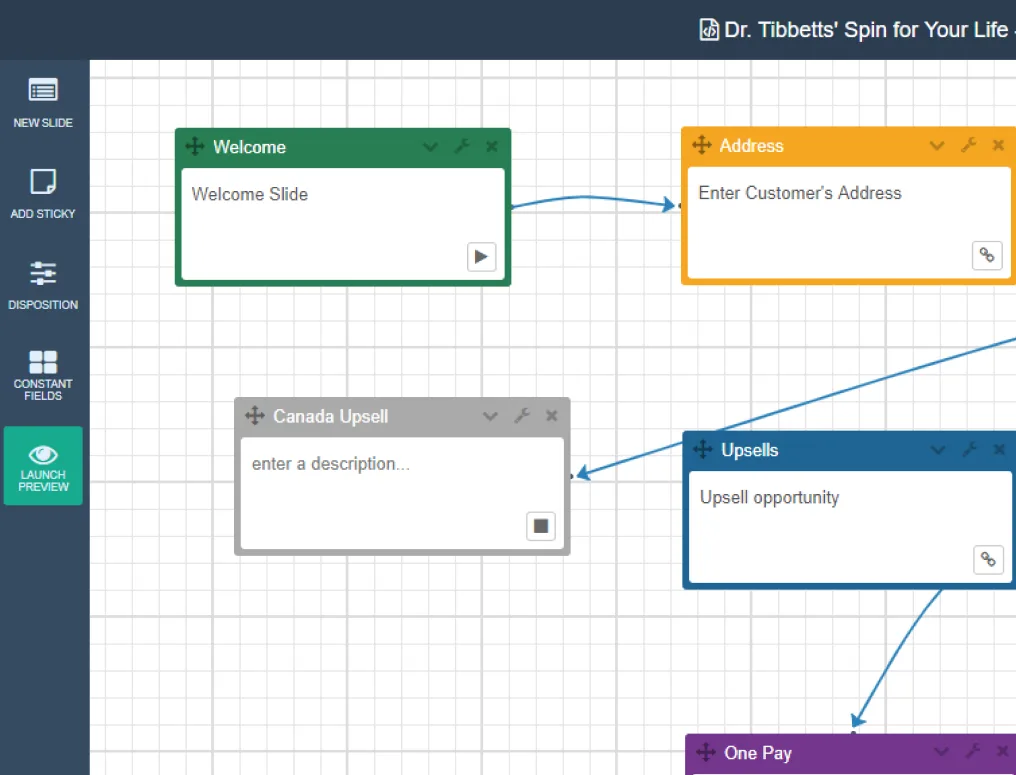
Empower scriptwriters with an intuitive drag-and-drop interface modeled on flowchart conventions they already understood.

Logic Without Code

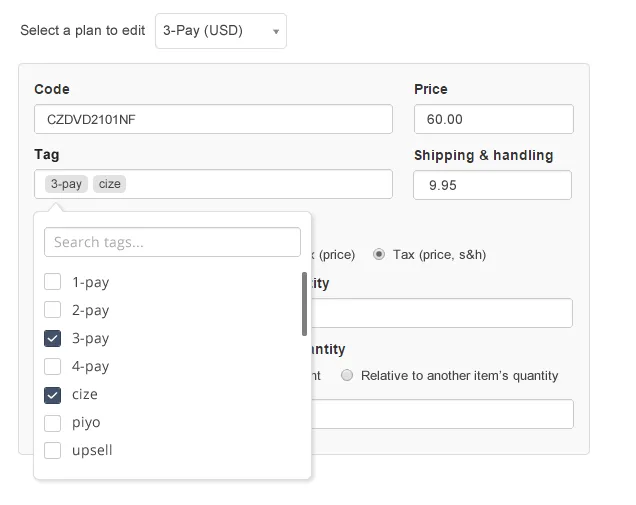
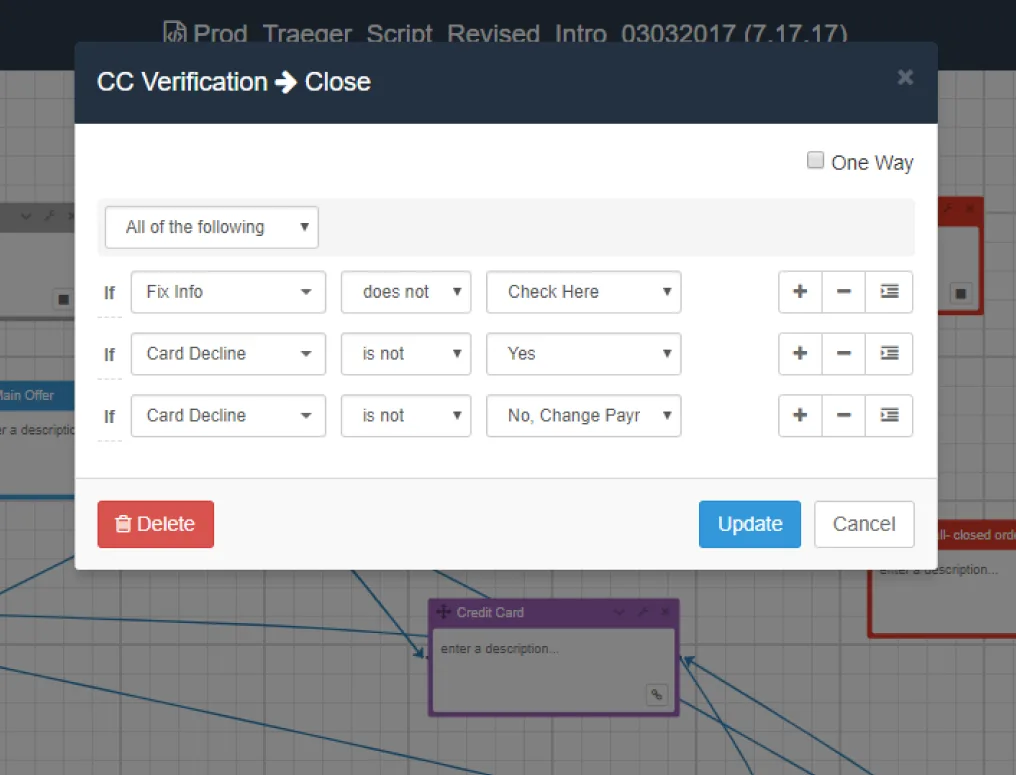
Enable users to add conditional branching, SKUs, and dynamic inputs without engineering support.

Preview as You Build

Deliver real-time validation and visual feedback to reduce reliance on QA and accelerate iteration.

“It took 2-3 weeks for a change to take place, that greatly impacted our ability to validate the scripts and report on their effectiveness.”

Ideation

Turning Pain Points Into Possibilities

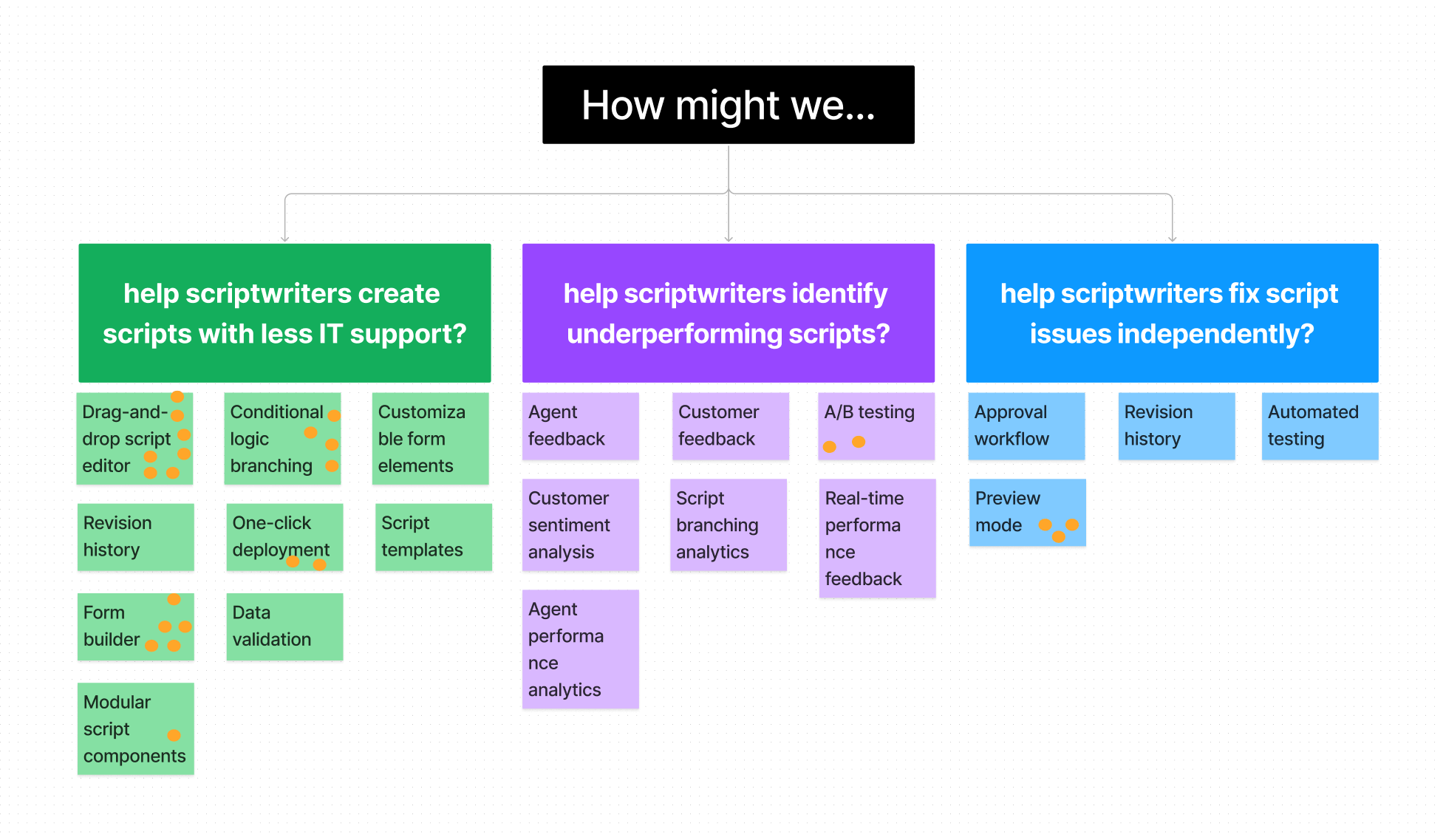
To translate user frustrations into tangible solutions, I led a structured ideation session with scriptwriters, product managers, and engineers. We framed the discussion around three targeted How Might We questions, each grounded in our research:

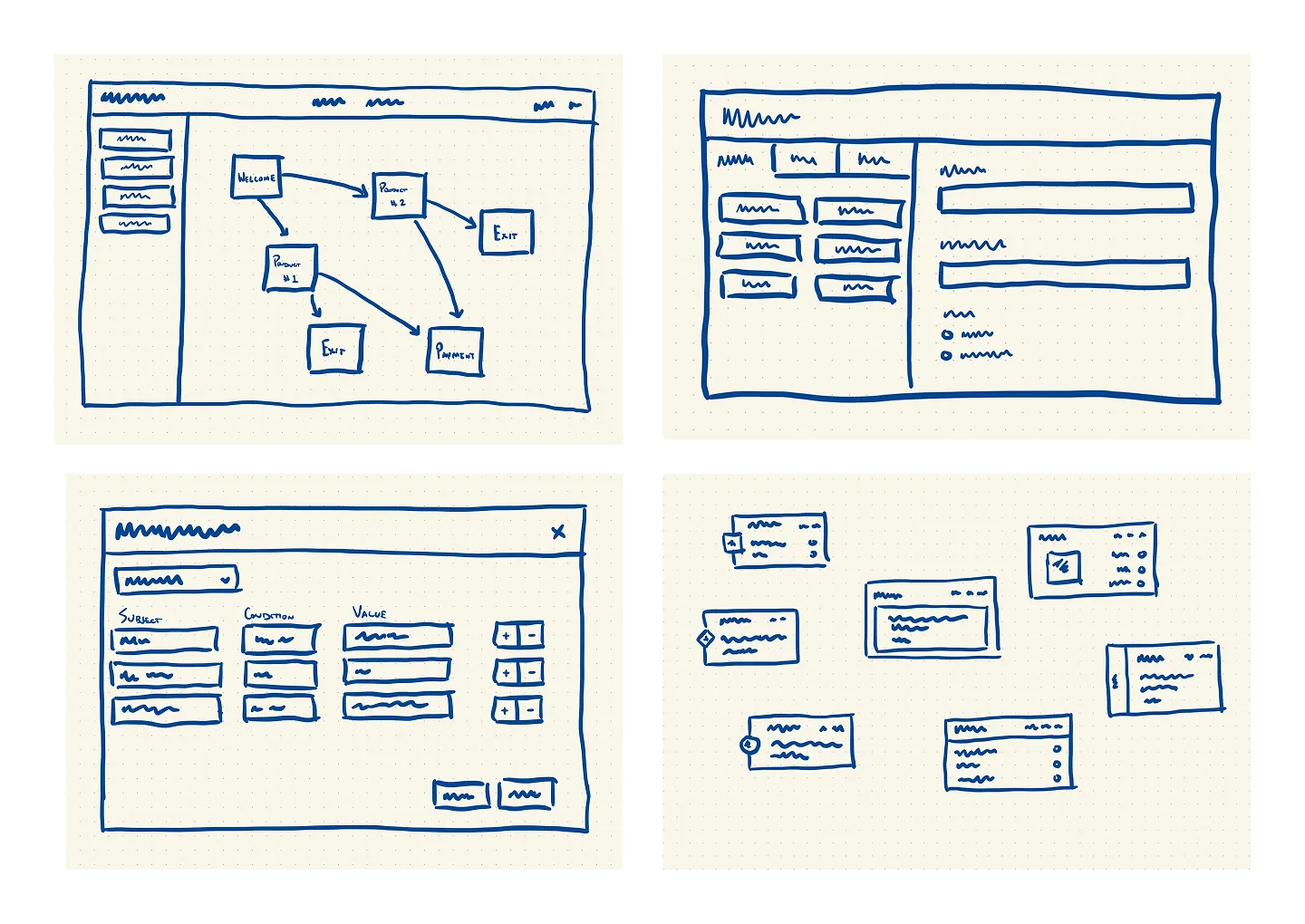
Through rapid brainstorming, low-fidelity sketching, and collaborative prioritization (dot-voting and clustering), we aligned on three high-impact product principles that directly addressed core user and business needs:

  • Visual Editing: Empowering users to build call flows through a drag-and-drop interface.
  • Conditional Logic Without Code: Making branching logic accessible to non-technical users.
  • Real-Time Preview: Providing instant visual feedback and validation while building.

I then translated these validated concepts into early wireframes and user flows, partnering with engineering and PM to define scope and align on technical feasibility before prototyping.

Concept Testing

From Concept to Confidence

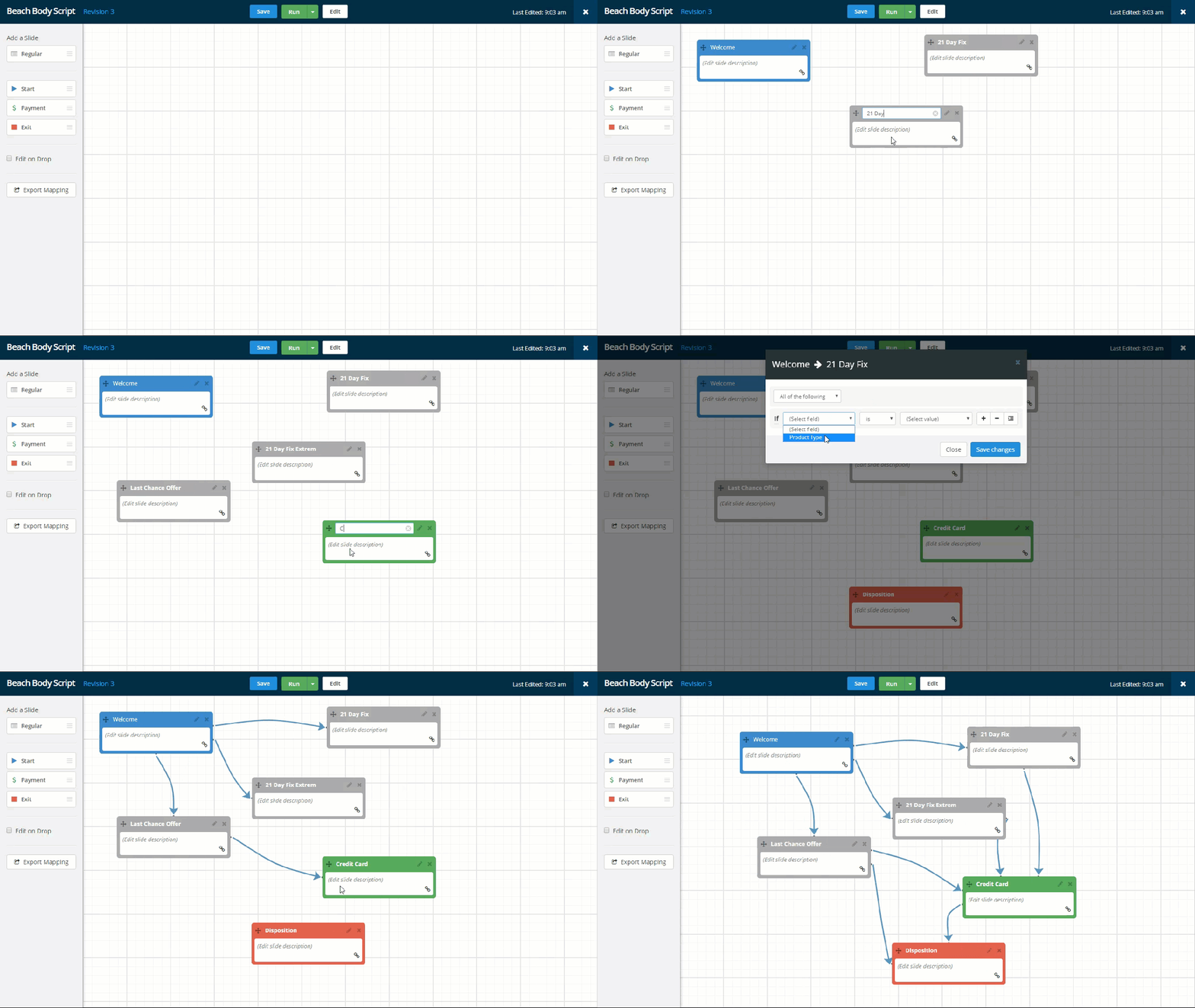
To validate the visual workflow, I developed and tested a robust HTML, CSS, and JavaScript prototype with five enterprise scriptwriters. All successfully built multi-path scripts and testing revealed key areas for refinement:

Key Findings

1. Users grasped the flowchart metaphor instantly

“This feels like something I already use, like Lucidchart or Visio.”
“It’s easy to move things around and see what I’m building.”

Solution
I leaned into this familiarity by refining node styles and snap-to-grid behaviors to mimic tools users already trusted.

2. Confusion around conditional logic fields

“What happens if I need different upsells for different products?”
“I’m not sure what this logic node will do.”

Solution
I introduced tooltips and onboarding prompts to clarify node functions and added pre-built logic templates for common use cases.

3. Strong desire for live preview

“I want to see how this looks for the agent right away.”
“Without preview, I’m guessing if it’s right or not.”

Solution
I prioritized the live preview feature in the next design sprint, embedding a panel that updated in real time as users built flows.

4. Users wanted to reuse blocks of logic

“I use the same upsell flow in five different campaigns. Can I copy it?”
“It would be great to save my best-performing scripts.”

Solution
I scoped a reusable “block library” for future implementation, where users could save and insert logic bundles across scripts.

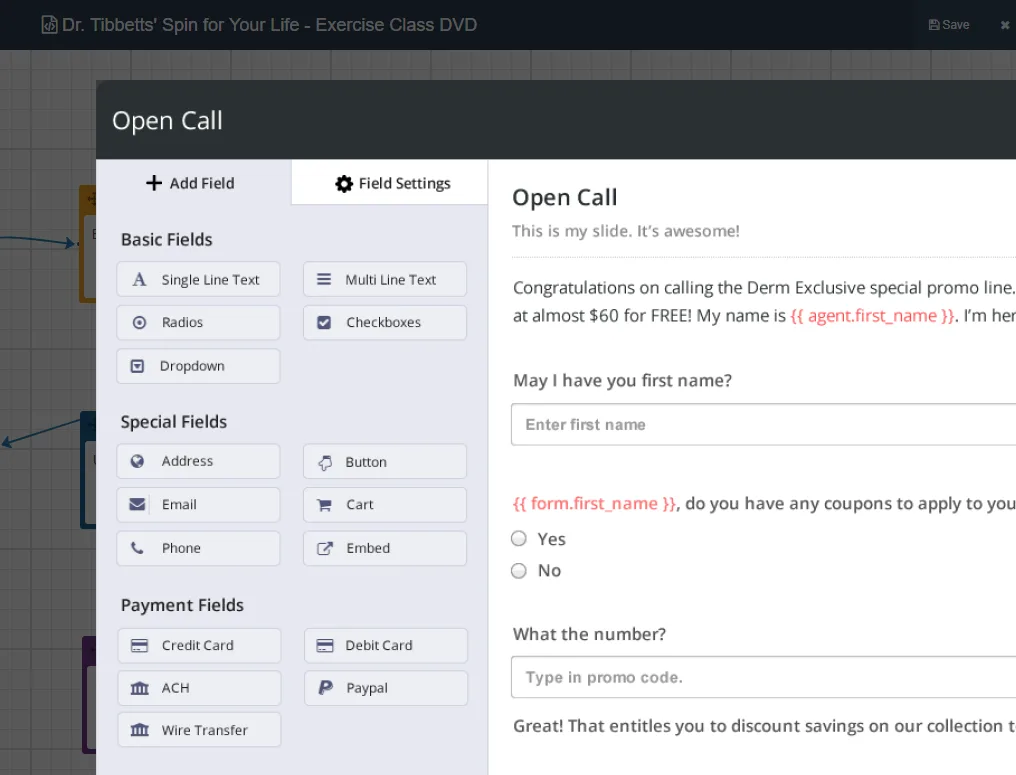
These insights validated our core design principles, visual clarity, non-technical usability, and real-time feedback. They helped shape the next iteration of the tool into something users could confidently own from end to end. With the primary visual scripting concept validated, we shifted our attention to developing robust supporting functionality, including the drag-and-drop form builder, conditional branching builder, and SKU builder, to create a truly comprehensive platform.

Outcome + Final Design

Laying the Foundation for a Scalable Platform

The redesign reduced script deployment time from 6–8 weeks to just 3 days, saving Beachbody alone over $100,000 annually in IT costs and enabling faster campaign launches across 12+ call centers.

The drag-and-drop scripting tool gave business users direct control over logic and personalization, eliminating bottlenecks and accelerating iteration. This shift reduced the engineering load and laid the foundation for Singlecomm’s broader platform strategy, including reusable components and a modular architecture. This shift also enabled future capabilities, such as reusable logic blocks and white-labeled scripting tools for multiple clients, solidifying Singlecomm’s platform evolution.

Key Features + Results

💰

$100K+ annual savings

by offloading scripting tasks to business users

Reduced Time to Market

Script deployment time reduced from 6–8 weeks to 3 days

🏃🏾‍➡️

Faster Iteration Speed

due to faster launches and quicker script optimization cycles

Speed to market has been the biggest benefit
we’ve derived from the SingleComm tool,”

~ Lee Swanson, SVP of Telemarketing, Beachbody