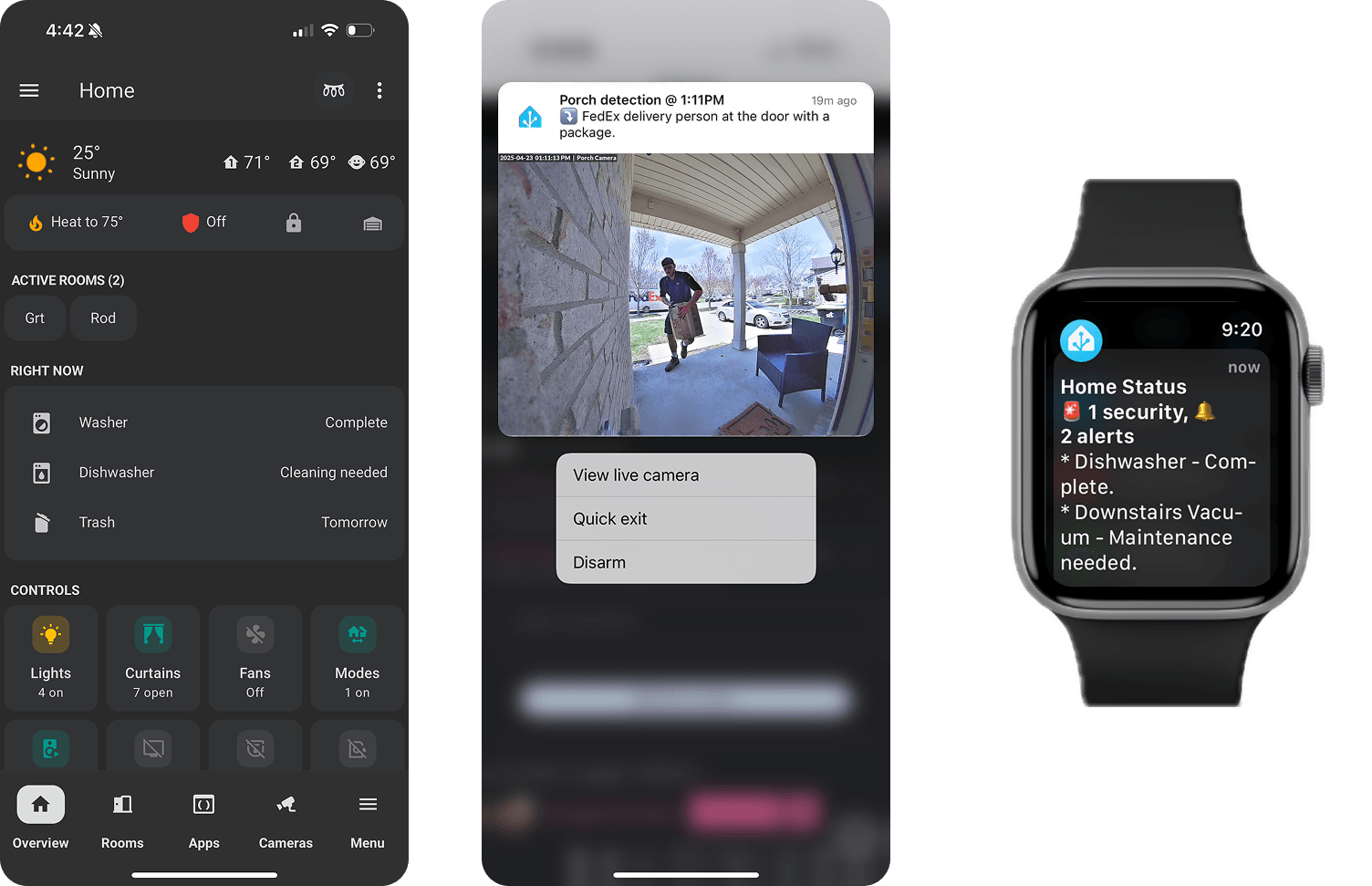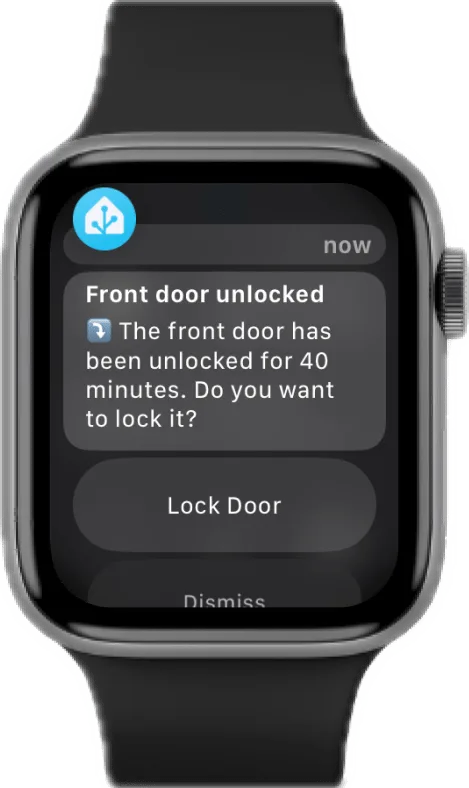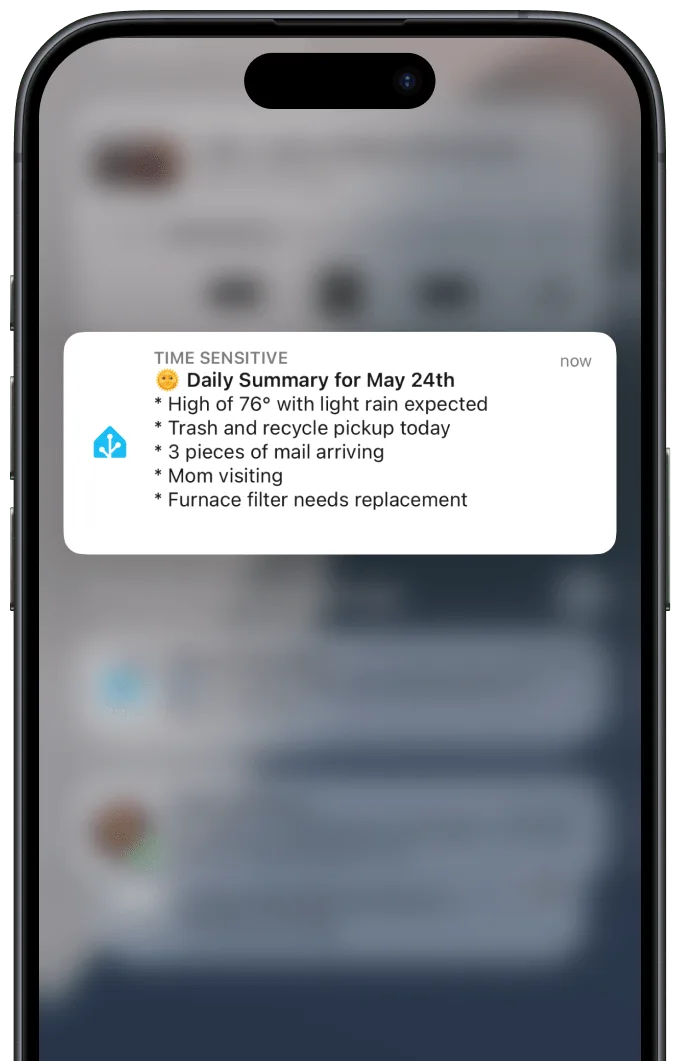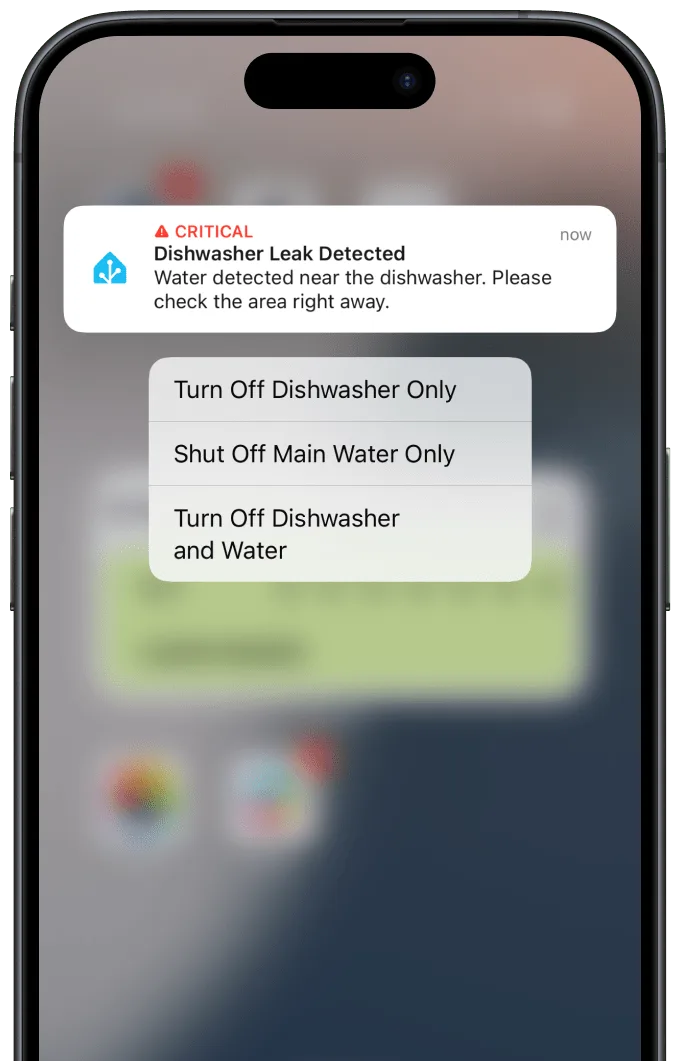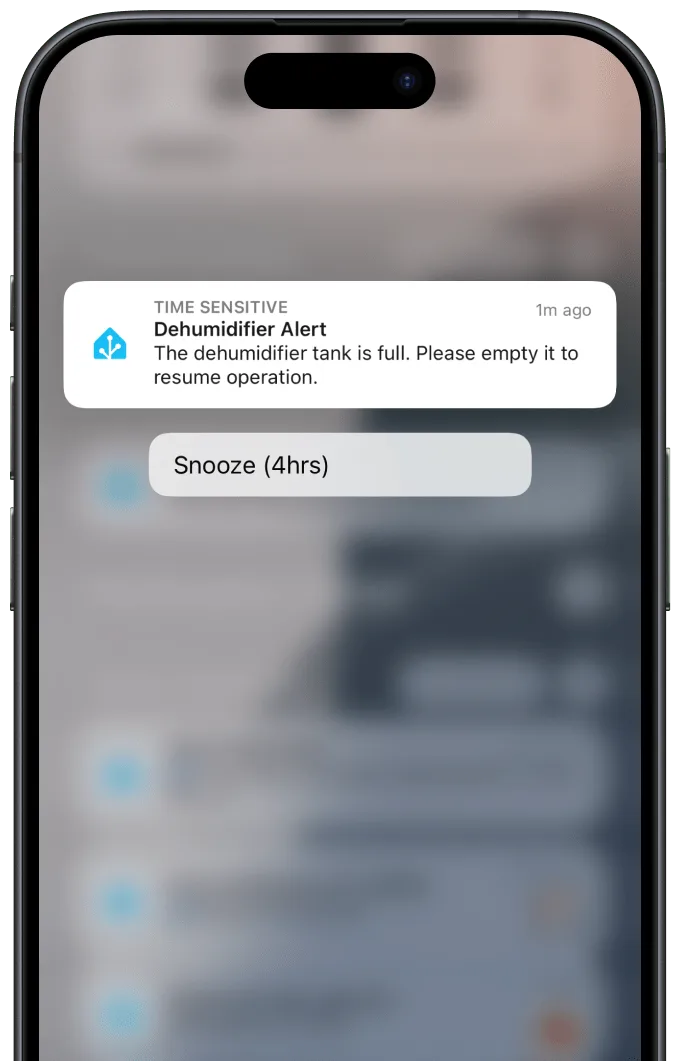
In 2024, I designed a custom notification framework for my family’s smart home to reduce alert fatigue and increase peace of mind. By auditing over 500 sensors and 10,000 daily signals, I created a system that prioritized urgency, context, and actionability, transforming a noisy stream of alerts into a trusted layer of everyday awareness.
Finding the Signal in the Smart Home Noise
Key Impact
- 80% reduction in daily notifications, cutting noise while preserving awareness
- Zero missed critical events, improving safety and peace of mind
- Increased trust and engagement, turning alerts into a helpful part of daily life
- Jump to the Final Designs ↓
My Role
- Interaction Design
- System Design
- Primary User
Year
2024
The Challenge
When Every Alert Becomes White Noise
As a product designer, I spend my days solving complex problems for enterprise users. At home, I faced a different challenge: our smart home, filled with sensors and devices, had no clear way to tell us what was happening when it mattered most. Buried in a stack of other notifications, we had difficulty identifying the truly meaningful notifications:
- Was the garage door left open?
- Did the freezer temperature spike?
- Were the windows closed before the rain started?
The notifications we had were noisy and easy to ignore. I set out to design a smarter notification framework within Home Assistant, tailored to our family’s needs.
My Smart Home By the Numbers
557
87
140
10
Design Principles
Establishing the Guiding Principles
The goal was simple: feel more connected to our home without being constantly interrupted by it. As our automation system grew, the volume of messages buried critical issues among trivial ones. The system lacked awareness of timing, urgency, and our family’s context.
1. Signal Over Noise
Every notification must earn our attention. If it doesn’t provide clear value, it’s noise and should be removed.
2. Design for Context and Relevance
The framework must adapt to presence, time of day, and household state, delivering information only when it’s actionable.
3. Make Critical Information Unmissable
Urgent events like security breaches or equipment failures require direct, persistent, and multi-channel alerts that escalate until acknowledged.
4. Support Existing Habits & Home Maintenance
Help us stay on top of recurring tasks like filter changes or battery replacements through low-friction reminders embedded in daily routines.
Framing the Problem
Focusing on What Matters
The system was technically working, but it wasn’t communicating effectively. Information was either overwhelming or invisible. To cut through the complexity, I translated our feelings of anxiety and overload into a focused design brief using three “How Might We” questions.
These questions became my compass for the project:
HMW see what’s happening right now?
HMW ensure the house is safe and secure?
HMW combat notification overload?
By framing the problem this way, I avoided boiling the ocean. Instead of designing for every technical possibility, I could focus on solving these three fundamental needs first.
System Inventory
Auditing the Signals
Before I could design the solution, I had to understand the problem at its source. I needed a complete inventory of every potential signal our home could generate. This wasn’t about what I wanted to be notified about yet; it was about cataloging everything that could create a notification.
I performed a systems audit by analyzing daily routines, potential risks, and equipment failure scenarios. For every potential alert, I documented three key attributes:
- The Trigger: What specific condition initiates the signal? (e.g., Door open for > 10 minutes).
- The Source: Which device or sensor provides the data? (e.g., Front door contact sensor).
- Initial Criticality: How important is this event, intuitively? (e.g., High, Medium, Low).
Initial Notification Inventory (Excerpt)
| Notification Event | Device/Sensor | Trigger Condition | Criticality Level |
| Front door left open > 10 minutes | Front door contact sensor | Door open for > 10 minutes | High |
| Freezer temp > 10° for 15 minutes | Freezer temperature sensor | Temperature sustained > 10°F | High |
| Leak detected in basement | Water leak sensor | Leak state = 'wet' | High |
| Garbage night reminder | Calendar automation | Time = 7pm on garage night | Medium |
| HVAC filter needs replacing | Runtime sensor + last replaced input | 90 days since last reset | Low |
| Window open after dark | Window contact sensors | Window open + time after sunset | Medium |
| Sump pump hasn't run in 4 hours | Power usage sensor | No power draw for 4+ hours | High |
| ... | ... | ... | ... |
This process helped reveal patterns: some events demanded immediate attention; others simply needed to be acknowledged or remembered. It also exposed redundancies and noise, events that were previously generating alerts without clear value.
Secondary Research
Understanding What Makes a Good Notification
Designing a home notification system is about understanding human behavior. To ground my work in established best practices, I analyzed common notification patterns from operating systems and consumer devices. Several core behaviors and patterns emerged:
Key Pattern Findings
📱 Channels Matter
The device delivering the notification dramatically influences how it’s perceived:
- Mobile push is direct and flexible, but prone to being ignored or missed in busy contexts.
- Smart speaker announcements can cut through ambient noise, ideal for urgent alerts while someone is home.
- Visual interfaces (e.g., dashboards or persistent banners) provide passive awareness without interruption, making them ideal for conveying non-urgent information.
I aligned notification types with the medium best suited for their purpose, often using combinations to escalate or reinforce a message when needed.
🚨 Passive vs. Interruptive
Not every message needs to demand immediate attention. I categorized notifications into two behavioral modes:
- Passive: Low-priority alerts delivered via non-intrusive formats (e.g., summaries, dashboards, icons, or end-of-day messages).
- Interruptive: Alerts that break a user’s current activity due to urgency or safety concerns (e.g., speaker announcements, phone buzzes with confirmation).
This distinction became foundational in avoiding alert fatigue while maintaining trust in the system.
⚠️ Critical Escalation
For high-stakes scenarios (e.g., water leaks, security issues, power loss), escalation is key. I implemented a multi-step strategy:
- Initial notification via mobile
- Follow-up via alternate channel (e.g., voice)
- Re-notify after delay if condition persists
- Use persistent banner or lock-screen alert as fallback
This mirrors patterns found in healthcare and industrial systems, where non-response handling is built in.
🕑 Contextual Filtering
Context-awareness, particularly based on time of day, presence, and household mode, has become one of the most impactful enhancements. For example:
- Suppressing low-priority notifications during sleep hours
- Only reminding about garbage night when someone is home
- Avoiding energy alerts while on vacation
These rules minimized disruptions and made the system feel smarter, more respectful, and more useful.
🔔 Nagging vs. One-Time Alerts
I evaluated whether alerts should:
- Fire once and disappear, assuming the user will respond (e.g., “Front door opened”)
- Persist until resolved, ensuring visibility and follow-through (e.g., “Freezer temp still high”)
- Repeat periodically until conditions change (e.g., “Window still open after dark”)
These patterns became the building blocks of the system’s alert logic. Instead of treating all notifications equally, I designed each one to only interrupt at just the right intensity to be informing without overwhelming.
This research helped me define clear delivery strategies based on the type of information, the urgency of the event, and the user’s context.
Information Architecture
From Inventory to Intentionality
With a complete inventory of notification scenarios and a clear understanding of user-centered notification behaviors, I mapped each alert to a delivery strategy that aligned its severity, urgency, and appropriate interruption level.
Each notification was assigned a behavioral profile based on five criteria:
- Criticality – What is the risk if this is ignored?
- Urgency/Time Sensitivity – How soon does a user need to act?
- Contextual Relevance – Should this alert only fire in specific conditions (e.g., someone is home)?
- Interruption Level – Should it interrupt or be passively surfaced?
- Delivery Persistence – Should it repeat or remain visible until resolved?
Notification Mapping
| Notification Event | Criticality | Delivery Method | Interruption Level | Behavior Type |
| Front door left open >10 mins | High | Mobile + Smart Speaker | Medium-High | Context-aware escalation |
| Freezer temp >10°F for 15 mins | High | Mobile + Persistent Banner | High | Interruptive + nagging |
| Leak detected in basement | High | Immediate Push + TTS | Very High | Escalating multi-channel |
| Garbage night reminder | Medium | End-of-day Push | Low | Scheduled passive |
| HVAC filter replacement | Low | Weekly summary + Banner | None | Passive & repeatable |
| Window open after dark | Medium | Mobile (with delay) | Medium | Delayed interruptive |
| Sump pump hasn’t run in 4 hrs | High | Persistent push | Medium-High | Delayed interruptive + sticky |
| ... | ... | ... | ... | ... |
By applying these mappings across the full inventory, I was able to define:
- Which alerts required multi-device escalation
- Which alerts could be silently delivered or batched
- Where contextual filters should suppress messages entirely
- When to use one-time alerts vs. nagging alerts
Iterative Design
Refining the System Through Daily Life
Unlike traditional usability testing in a lab or with scripted tasks, this system was tested in the most natural environment possible: our home. My wife and I became the primary users and evaluators of the notification framework, experiencing its signals, interruptions, and gaps in real-time.
We didn’t test in a sprint; we tested in routines: locking up at night, leaving for errands, dealing with weather, maintaining appliances, managing sleep schedules, and simply trying to reduce the mental load of remembering everything.
Daily Use Became Continuous Feedback
Living with the system exposed a constant stream of micro-insights:
- Notifications that fired too often became a source of friction. We quickly learned to mute or ignore them, prompting changes in thresholds, timing, and suppression logic.
- Alerts that lacked context or actionability (e.g., vague “Garage Open” messages) were easily dismissed. I refined those to include specific prompts or conditions (“Garage has been open for 15+ minutes. Tap to close?”).
- Uncovered edge cases and missed opportunities emerged as we ran into real-life scenarios. For example, we realized we needed a reminder to close windows during unexpected rainfall, something we hadn’t accounted for in the original logic.
Tuning to Fit Our Habits and Needs
🛠️ Tuning #1: Do Not Disturb
I introduced contextual filtering to prevent alert fatigue, particularly during sleep hours or when nobody was home.
🛠️ Tuning #2: Message Clarity
I improved message clarity to ensure each alert was actionable and easy to interpret at a glance.
🛠️ Tuning #3: Tuned Thresholds
I tuned thresholds for duration-based triggers (e.g., 10 minutes vs. 15 minutes for door alerts).
🛠️ Tuning #4: Conditional Delays
I added conditional delays for when we were home but inactive (e.g., don’t alert immediately if a door is left open while we’re outside).
🛠️ Tuning #5: Actionability
Made alerts actionable with tap-to-act buttons for the alarm system, garage door, snoozing alerts, etc.
Final Design
Answering Our "How Might We's"
Each part of the notification framework was designed to answer a specific question about how we wanted to live with technology in our home: more informed, more secure, and less distracted.
HMW see what’s happening right now?
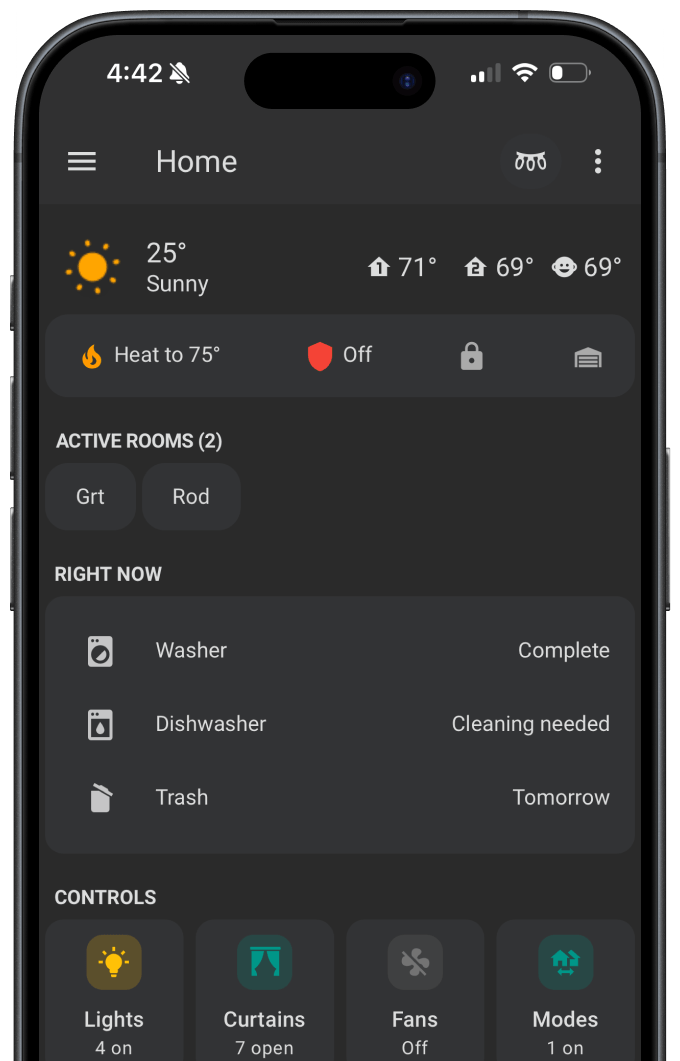
"Right Now" Status Dashboard
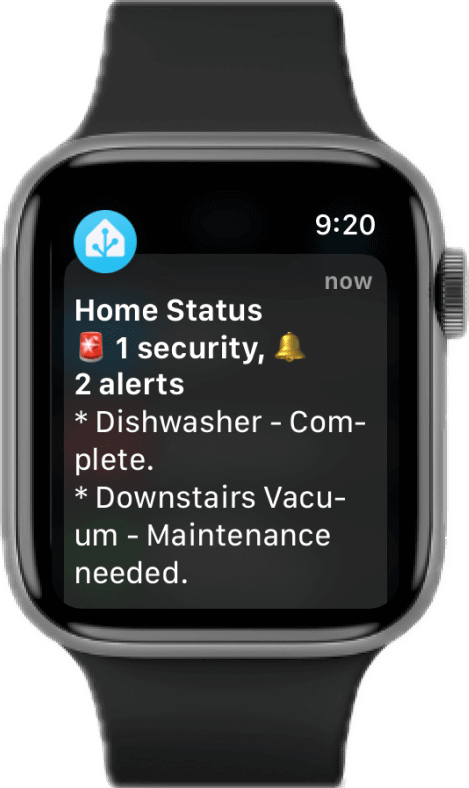
On-Demand Home Brief
HMW ensure the house is safe and secure?
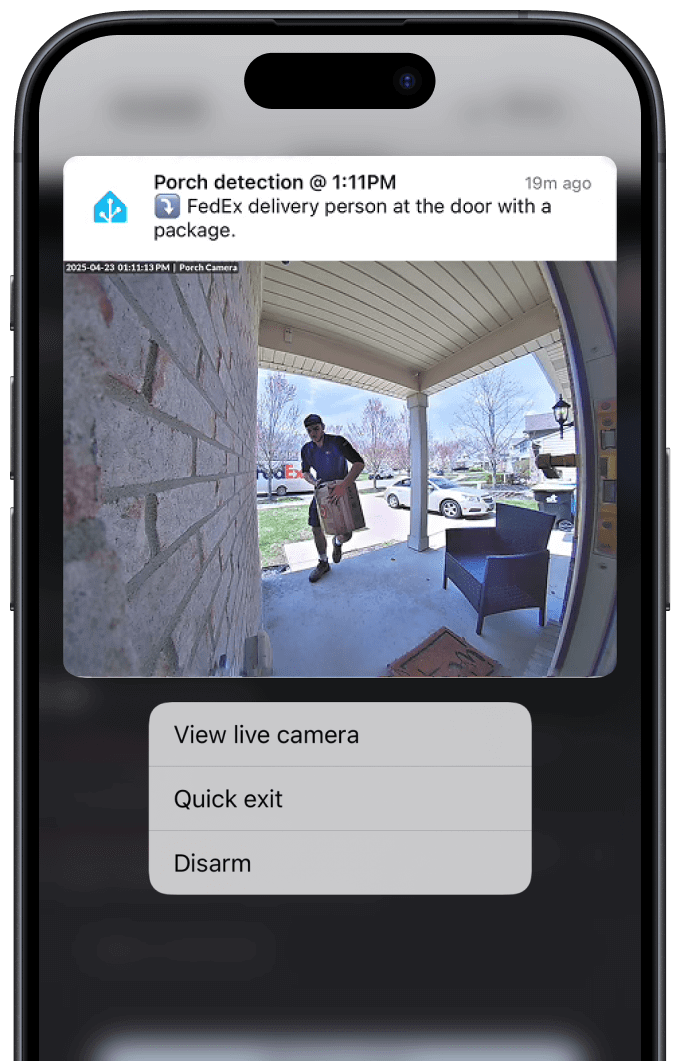
Enhanced Porch Detection
Security Sentinels
HMW combat notification overload?
Bundled Summary
Non-critical messages like filter replacements or trash reminders are bundled into a daily evening digest, reducing interruption while maintaining awareness.
Critical Escalation for True Emergencies
I used iOS Critical Alerts for events like leaks or smoke alarms. These bypass silent mode and Do Not Disturb, ensuring life-safety events are never missed.
Snoozed Notifications
Added actions to certain notifications for manual snoozing, in addition to conditions that suppress or delay messages during known “do not disturb” windows (e.g., after 10 PM) or when we’re away and cannot respond immediately.
The Impact
From Noisy to Necessary
The notification framework has become an integral layer of our smart home, quietly shaping how we stay aware, respond to issues, and maintain peace of mind. It solved a wide range of practical problems while reinforcing the value of thoughtful, intentional design in even the most personal contexts.
Tangible Outcomes
- Drastic Noise Reduction: We went from an average of 40-50 daily notifications to fewer than 10. The alerts we receive now are almost always meaningful and actionable.
- 100% Reliability on Critical Alerts: Since deployment, we have had zero missed critical events. High-priority issues like freezer temperature spikes and a minor basement leak were caught immediately.
- Improved Household Habits: The “Garbage Night” reminder has a 95% success rate. We now consistently replace HVAC filters on time, thanks to low-friction reminders that appear in a weekly digest.
- Increased Family Trust and Engagement: My wife went from ignoring alerts to actively relying on them. The system is now a trusted, helpful part of our home that everyone understands, not just a tech project.
Sharpening the Craft
A Designer's Reflection
This project reminded me how effective design often emerges from deep context, daily friction, and rapid iteration. While it didn’t involve a formal research process or stakeholder alignment, it sharpened the same core skills: identifying real problems, balancing priorities, designing for clarity, and building systems that scale.
It also reinforced a few key principles:
- Design is Behavior Change: The goal wasn’t just to build a system, but to foster peace of mind and better habits. The success is measured in how our family’s behavior adapted around it.
- Signal Beats Features: With dozens of sensors, the value came from ruthlessly curating the right signals, not exposing all of them.
- The Craft is in the Details: The time spent fine-tuning a message, adjusting a delay by a few minutes, or adding a single action button made all the difference in daily usability.
Ultimately, this project provided an opportunity to apply my professional skills to a user base I care about most. And like any sound system, it’s never truly finished; it continues to evolve with us.